
DesignOps & Leadership
GS1 Canada’s first UX Practice Lead role building DesignOps through Design System, UX Framework and a UX Community of Practice.
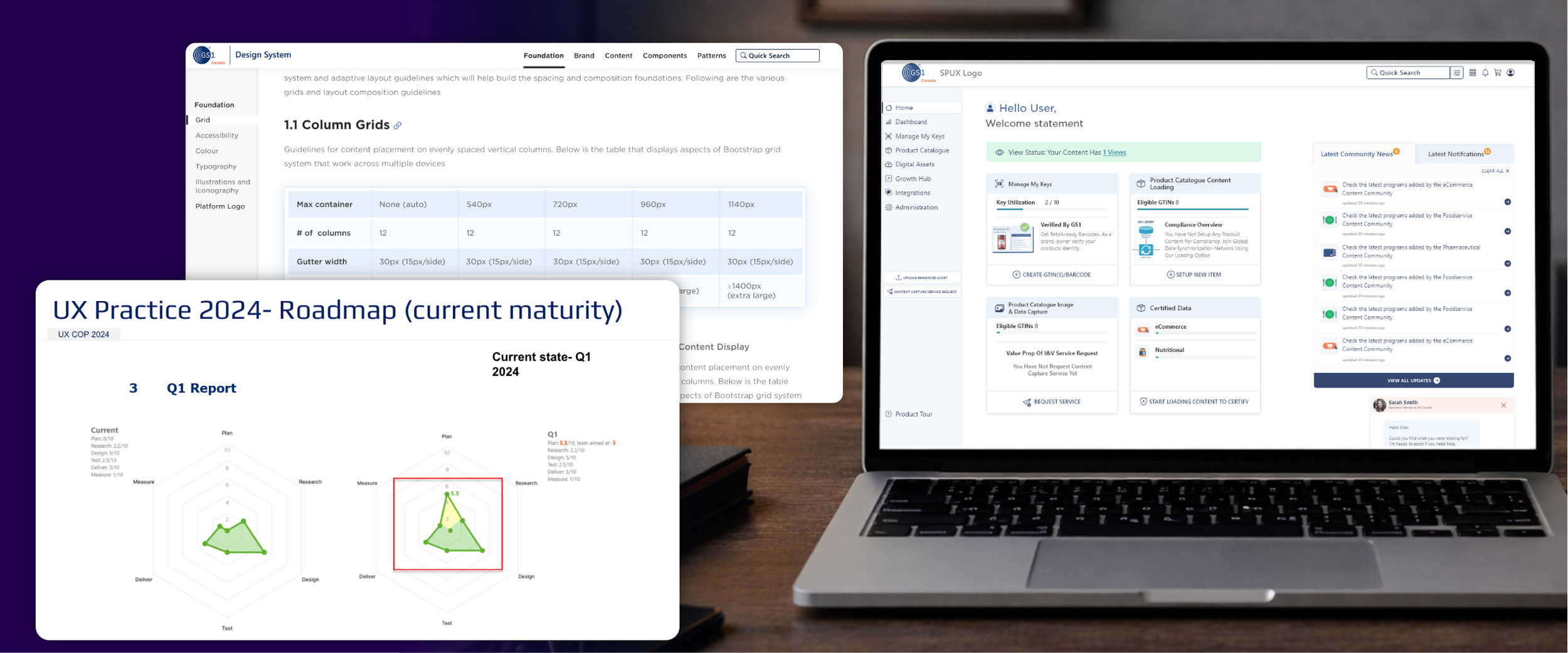
Backstory: As GS1 Canada transitioned to product squads in 2018–2019, UX was formally recognized as a discipline after years of being led by non-UX roles and external vendors. I joined in 2020 as one of the first three internal UX hires. Through evidence-based UX practices, I demonstrated measurable customer and business impact, which led to my promotion as UX Practice Lead to scale UX into a centralized strategic function.
This has been one of the highlights in my journey, I received recognition from the senior leadership and CEO for demonstrating how UX Practices can impact business.
Building a Centralized UX Discipline from Zero to Performing
UX Playbook
Created a UX Playbook that defined why UX exists within the organization and how the team designs, decides, and delivers value. The playbook communicated UX maturity, operating principles, and a roadmap for scaling UX impact.
Design Sprints
Introduced structured UX engagement through design sprints, intake processes, and a defined design lifecycle. This enabled better collaboration across product, engineering, and UX while ensuring the right methods were applied to the right problems.
Design System
Established the first shared design system across products, including components, tokens, and collaboration standards. Worked closely with engineering to define the operating model and governance needed to scale consistency across the platform.
Platform Design Vision
As Principal Designer, partnered with the Platform Product Manager to define the first vision for the Single Platform. This work aligned teams around a unified product experience and created a shared strategic direction across products.
UX CoP
Established and facilitated a UX Community of Practice, bringing together designers, product managers, and leadership (seasonal guests) to build UX mindset, strengthen skills, and foster a design-centric culture.
Team Maturity
Defined a UX framework spanning design processes, portfolio ownership, and research, aligning skills and roles to collective outcomes and enabling team maturity and scale.
UX Playbook - Quick Look
The UX Playbook serves as our brand manual, defining who we are, how we work, and where we’re headed. It outlines our role, success metrics, and strategy, and is used to engage teams, executives, and partners by clearly communicating the value and impact of UX.
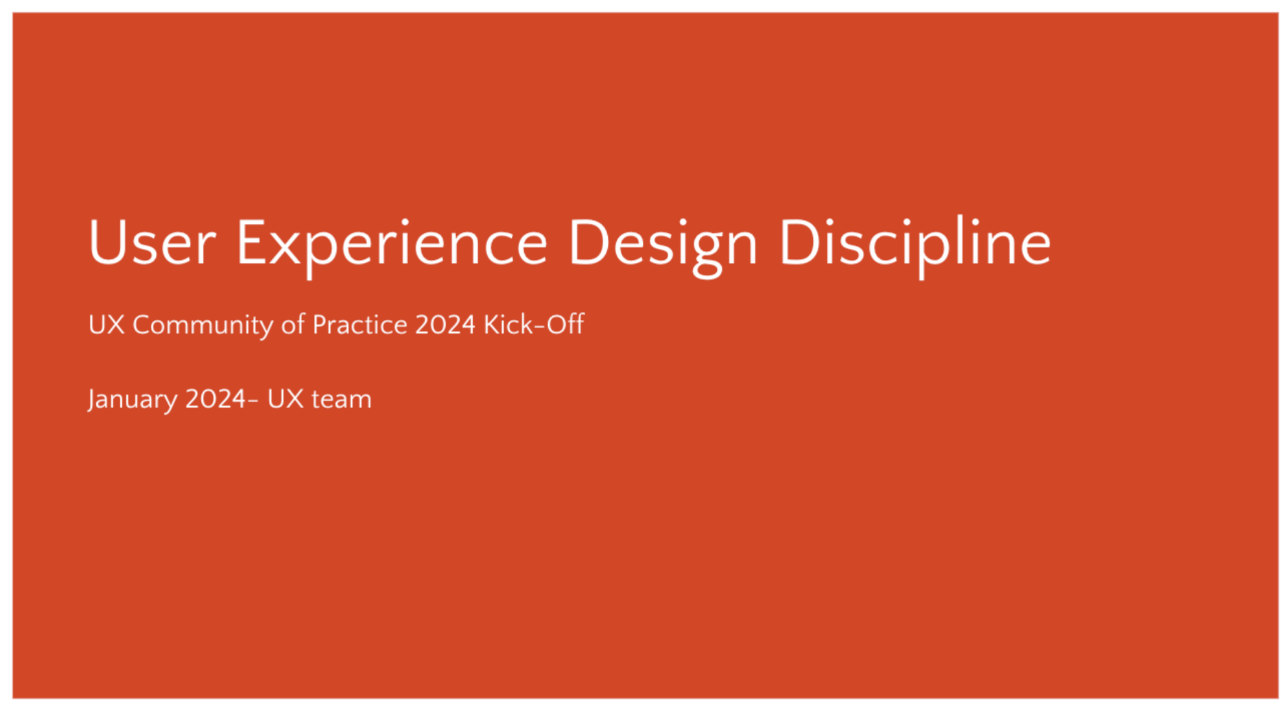
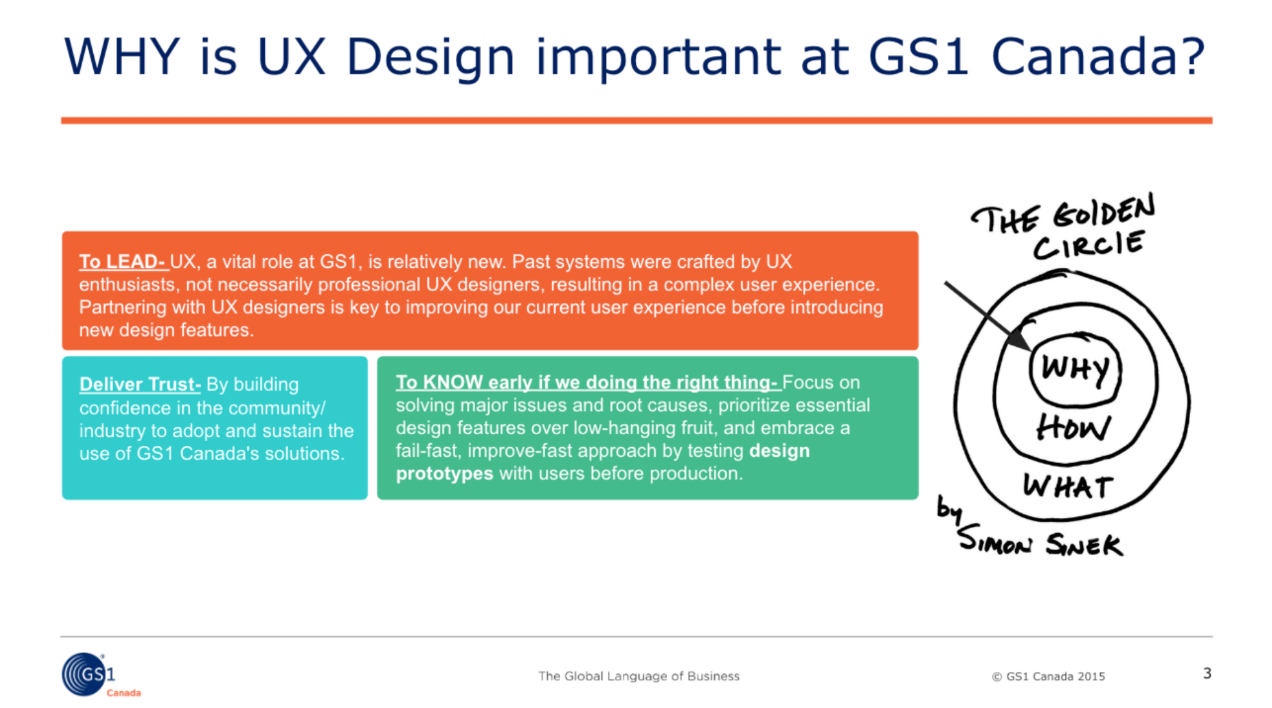
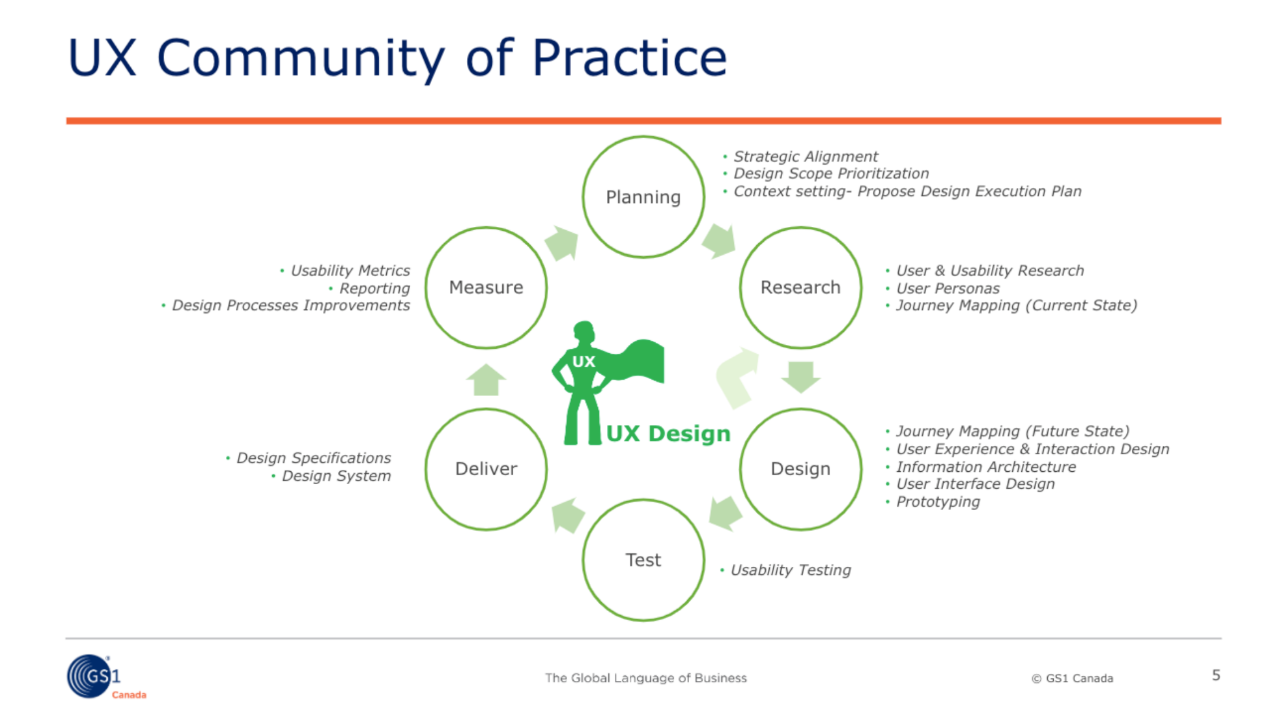
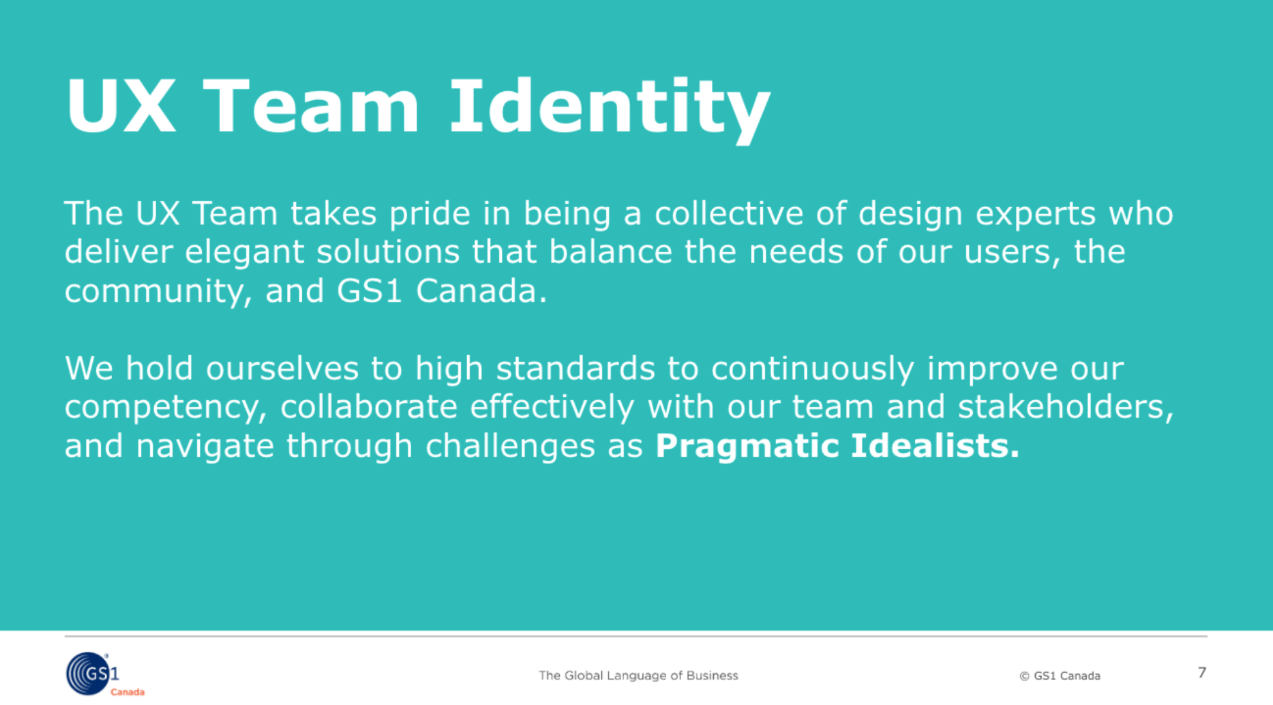
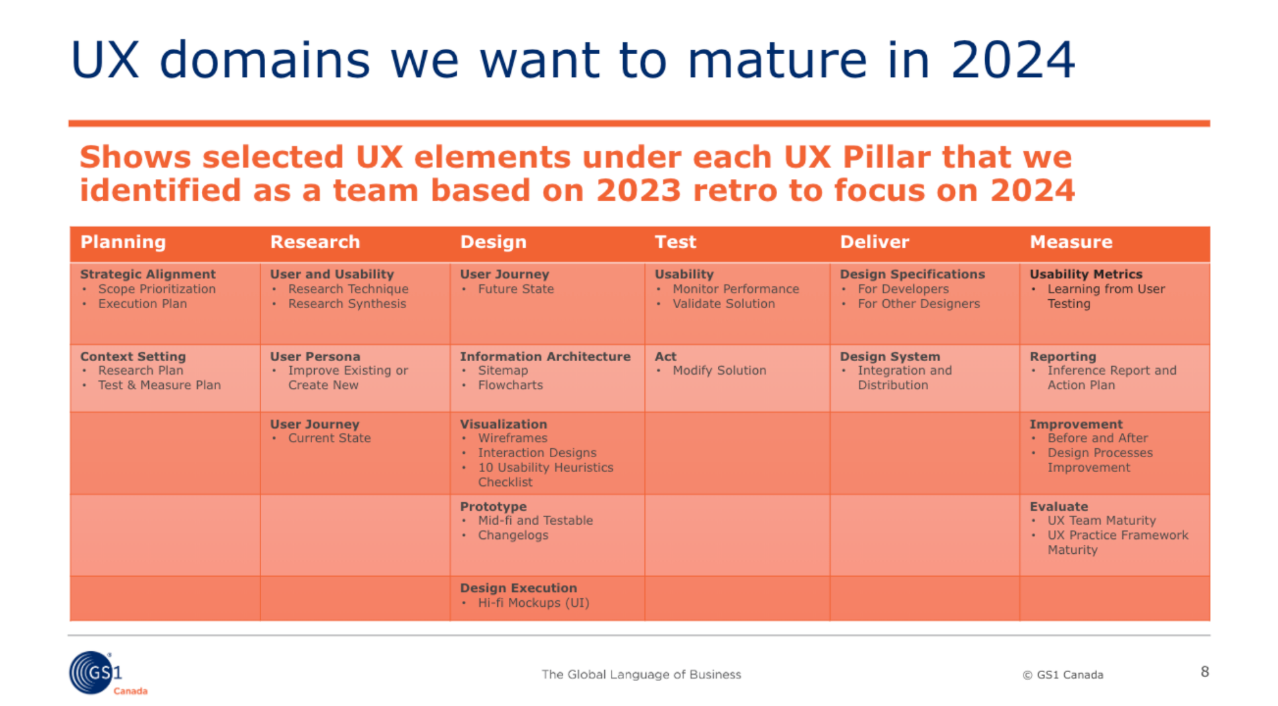
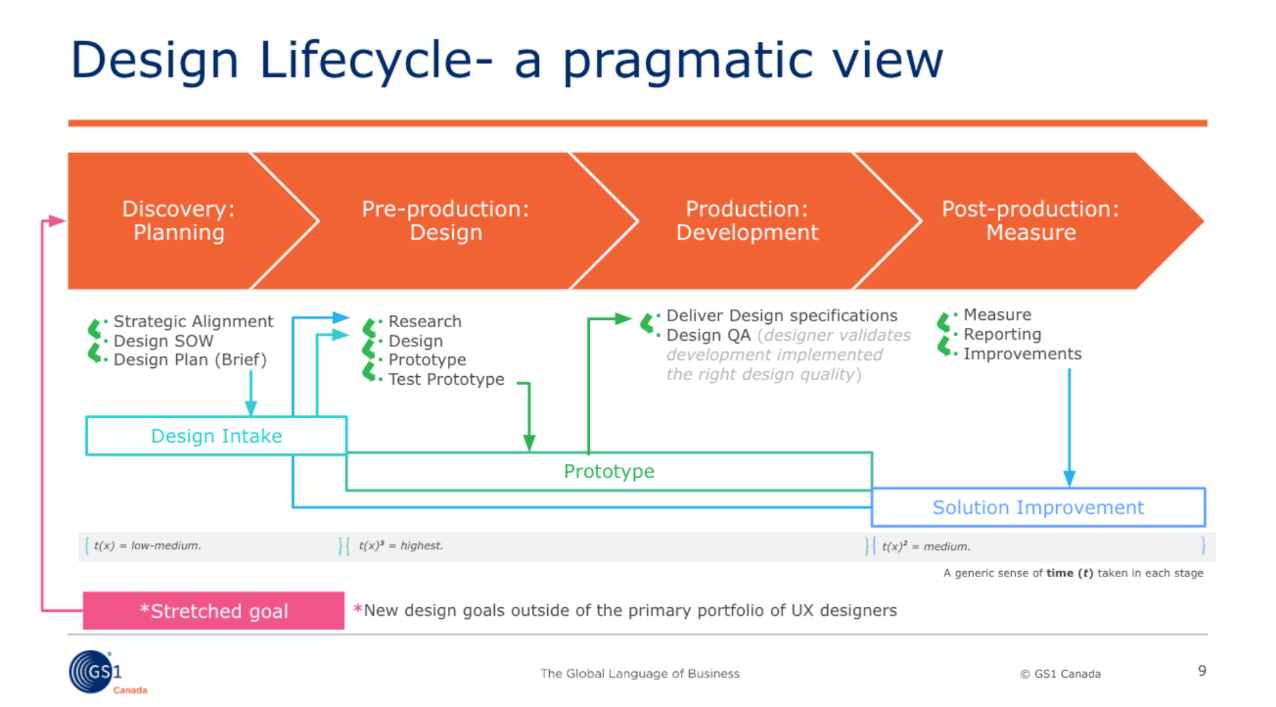
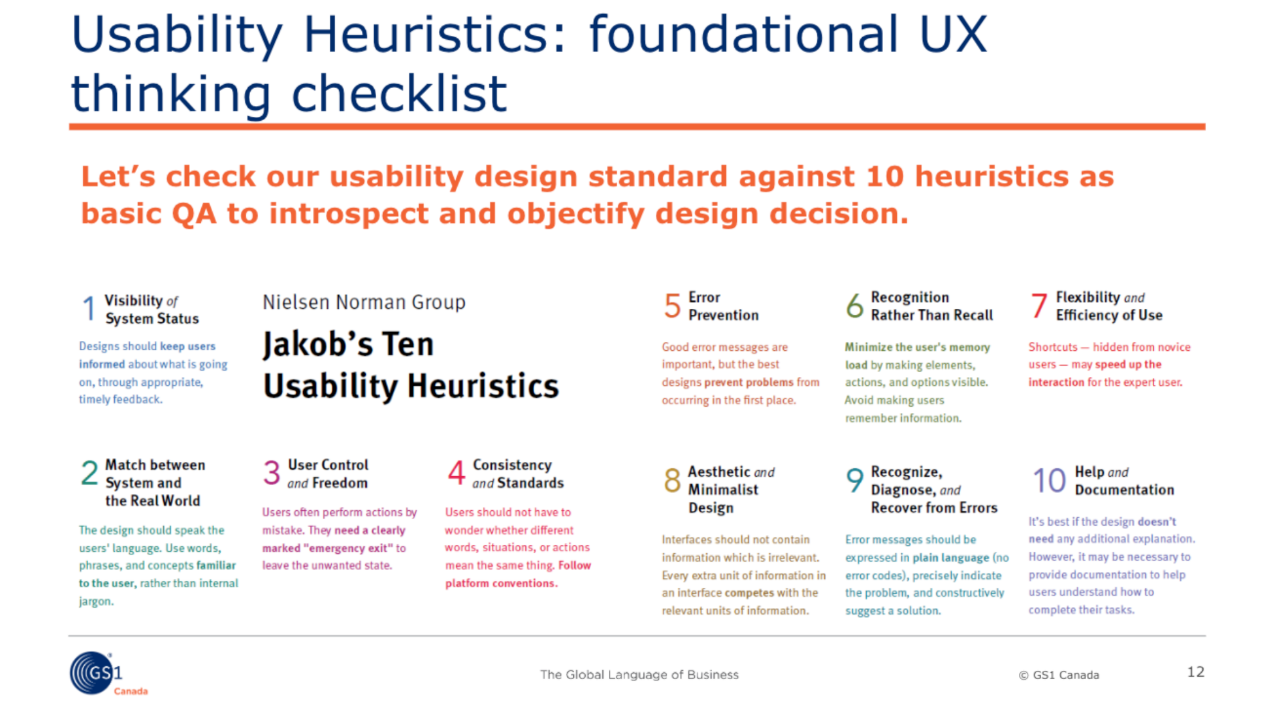
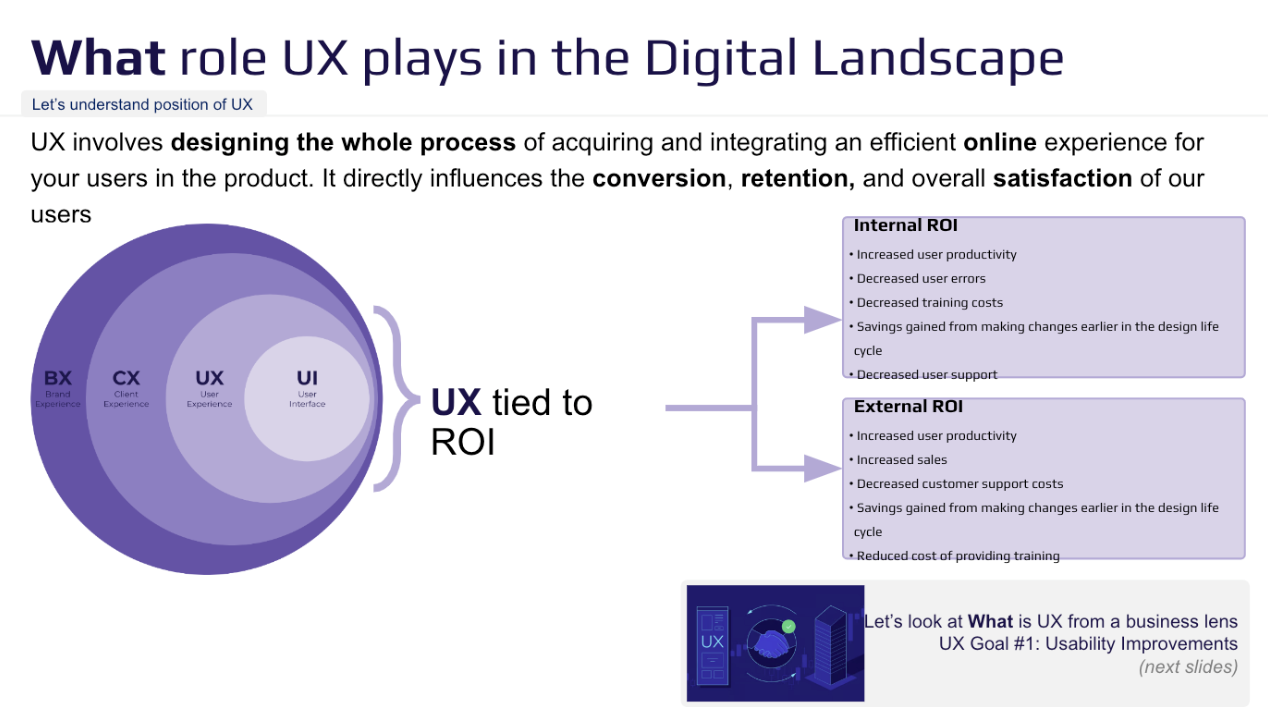
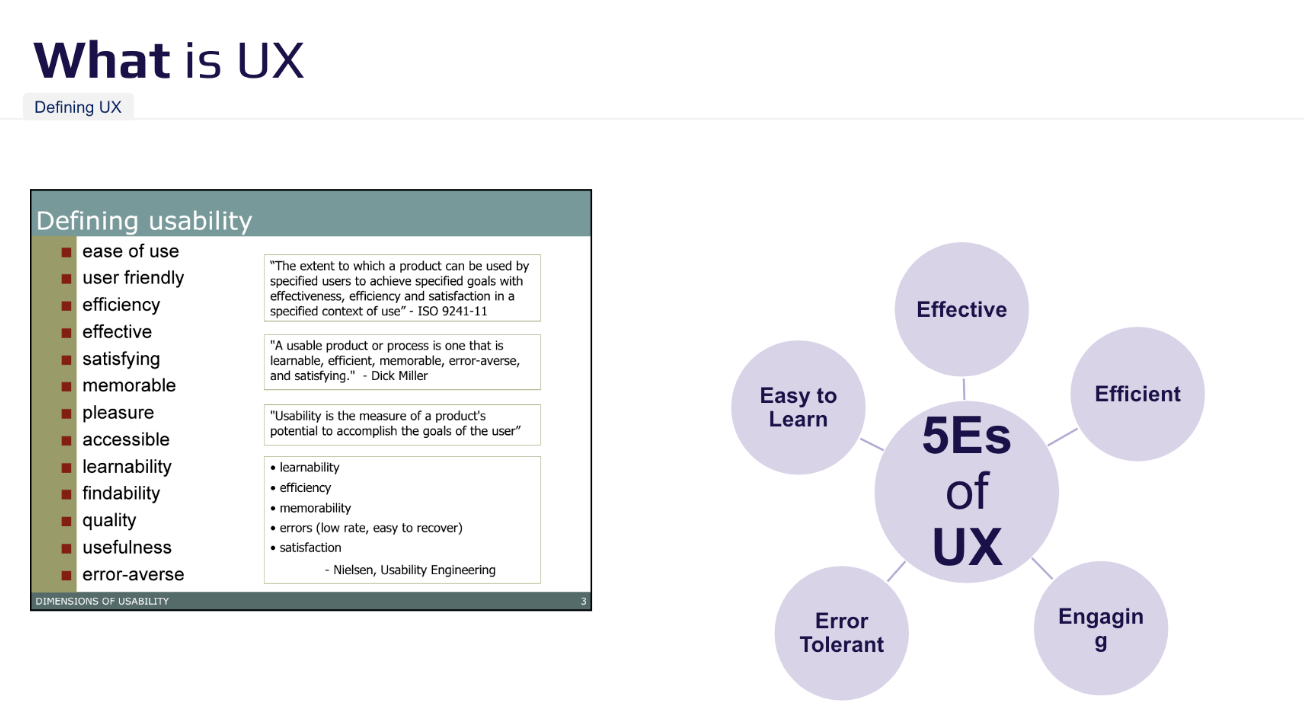
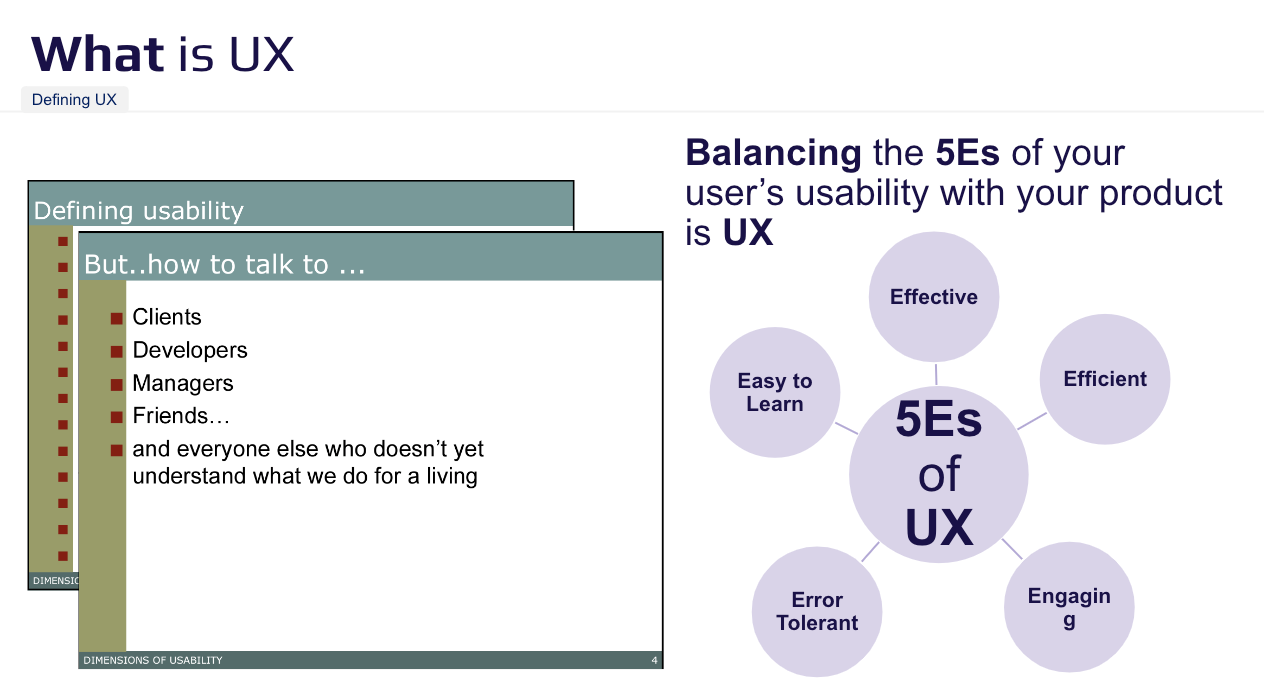
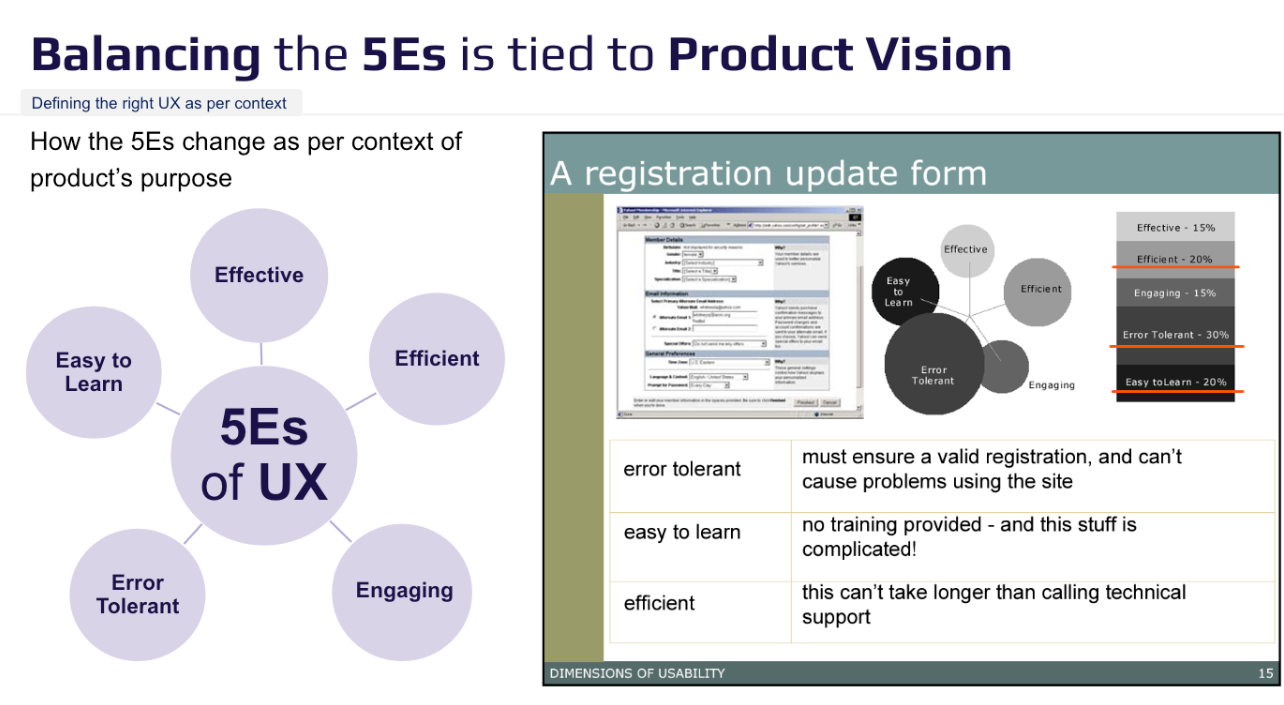
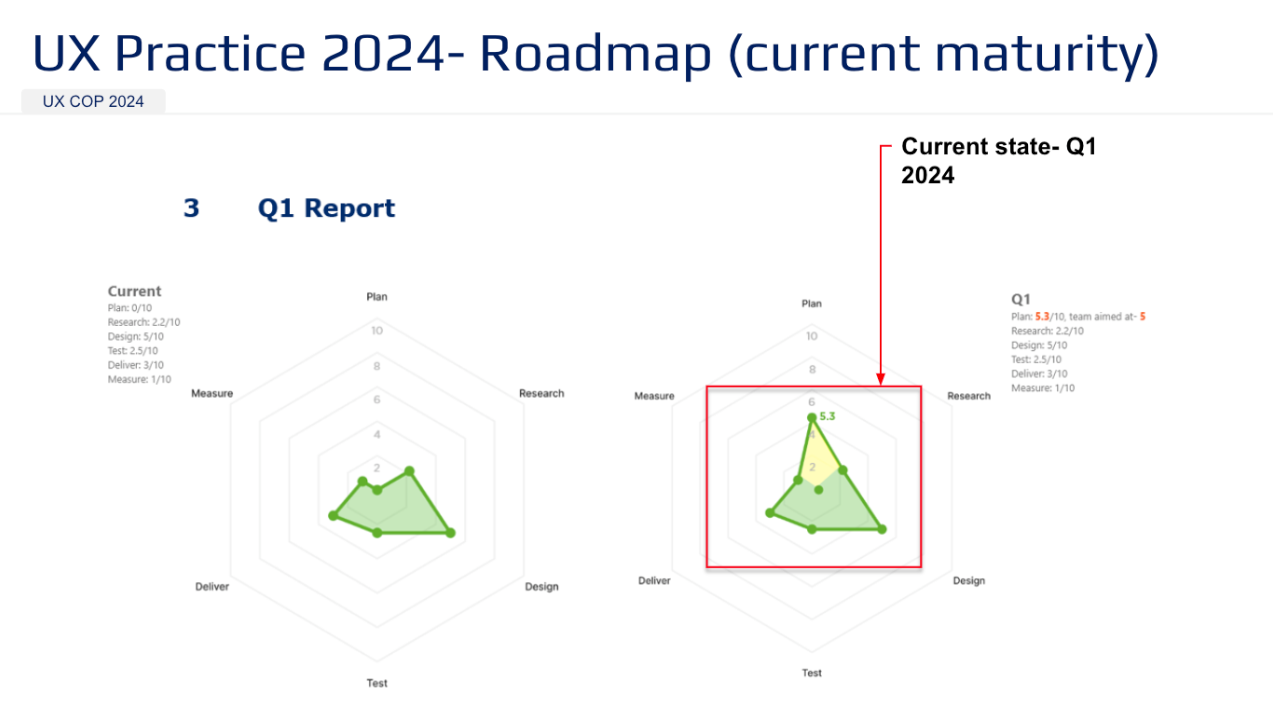
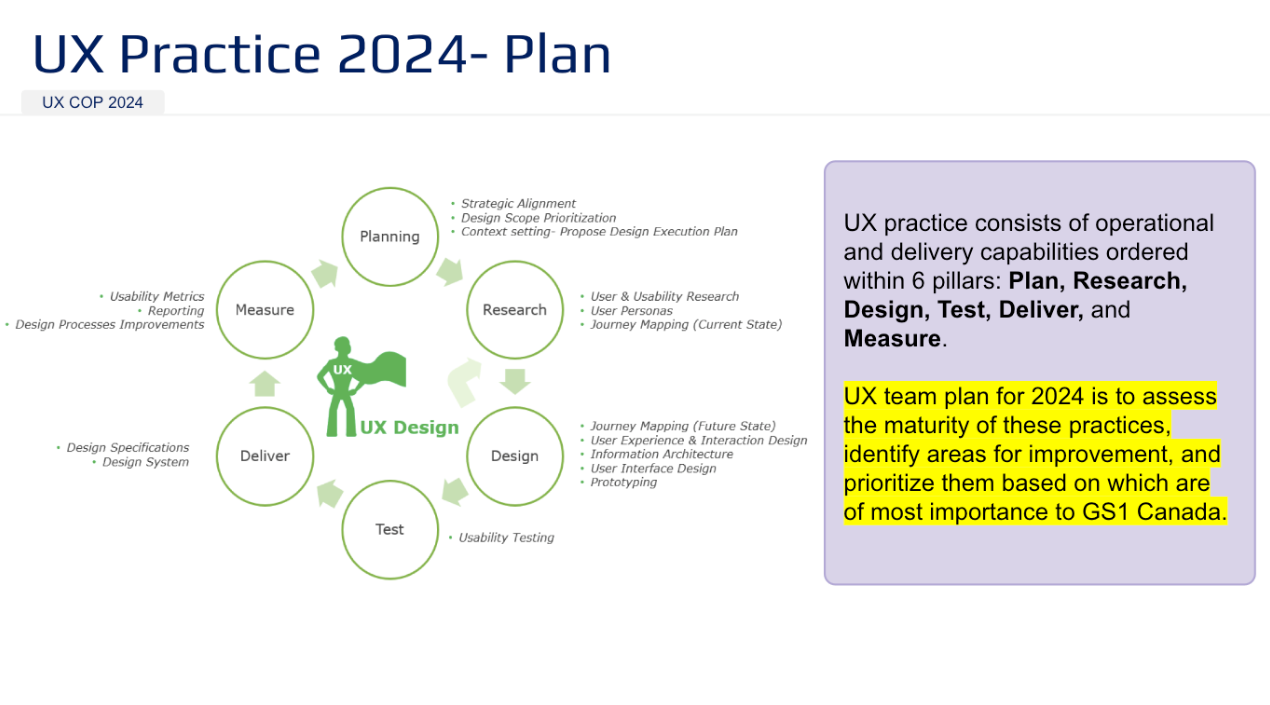
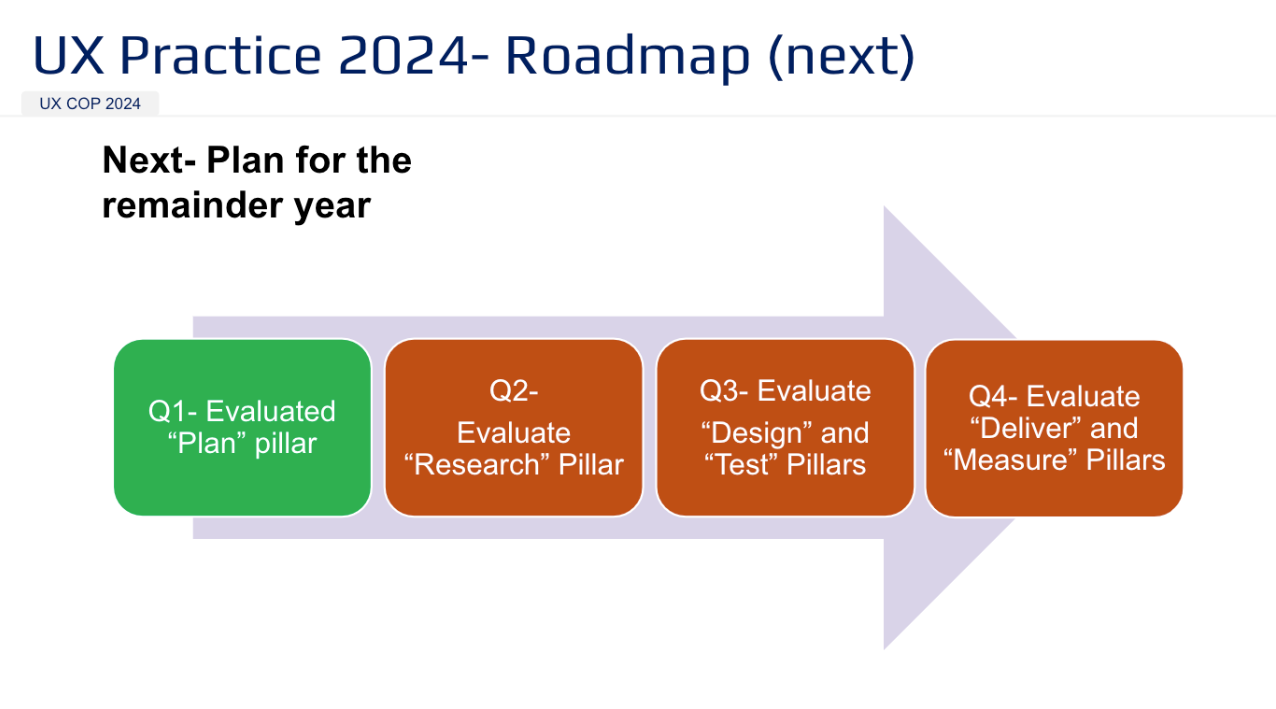
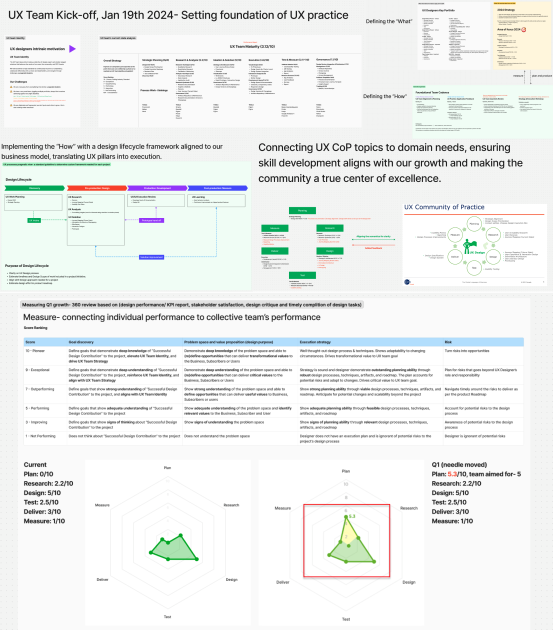
Behind this workshop was a simple intention to align people before scaling process. I brought together the UX team, Product Head, and Business leadership to co-define our UX pillars grounded in a clear maturity model. By connecting individual motivation to a shared identity, we strengthened team alignment and gave leadership clear visibility into how UX drives strategic outcomes.
Diving into the DesignOps Area of Focus
DesignOps includes the engineering of what is being communicated in the UX Playbook. Here are 3 areas of how I managed DesignOps at GS1 Canada
DesignOps 01- User Research Operation
Establishing a centralized repository, persona bank, and standardized templates embedded into the SDLC.
DesignOps 02- Design System Operations
Introduce a Design System, Design Token System and a Project Committee to use Design System as a standard practice.
DesignOps 03- Envision Single Platform
Led the initial conception of the Single Platform and aligned product designers to deliver a unified experience.
DesignOps 01: User Research Operation
I operationalized user research by establishing a centralized repository, persona bank, and standardized templates embedded in the SDLC. Personas moved from decorative artifacts to active decision tools for Product, UX, BA, and technology teams, grounding feature development in validated user goals rather than assumptions.
1.1 Persona repository and documentation
Established a centralized Persona Bank for UX and Product teams.
Embedded continuous user engagement through interviews, business logs, and customer call insights.
Strengthened storytelling with persona-driven tools such as user journeys, empathy maps, and stakeholder maps.
Integrated user insights into product decisions to keep teams grounded in the customer voice.
Developed qualitative and quantitative research practices to reduce subjective decisions and strengthen data-driven insights.
1.2 Persona utilization for backlog grooming
Developed persona-driven operation design using Smaply, SharePoint, and Azure DevOps to align user stories with actual user needs.
I developed an SOP to flag Epics where Features or User Stories lacked a defined persona, signaling the need for grooming or reprioritization.
This process fostered collaboration between BAs, UX, and PMs/POs, ensuring the backlog remained strategically aligned with user value and the product roadmap.
Outcome
When I joined GS1 Canada, personas existed mainly as decorative assets in business decks and were not used to inform product decisions. To make user insights actionable, I embedded personas and user journeys into the SDLC so they could guide prioritization, usability, and technical discussions.
As UX Practice Lead, I later launched the first DesignOps initiative in 2022 to operationalize this shift. The program enabled UX designers and Product Managers to become active user advocates by building stronger interviewing practices and sustaining continuous user engagement, ensuring product decisions were grounded in real user needs rather than assumptions.
DesignOps 02: Design System Operations
Unique scenario for building a design system was one of the most complex jobs in the ecosystem of GS1 Canada initially because - there were 8 different products managed by independent product squads and they worked with 3rd party technology partners. Having a centralized UX team and design processes was essential but at the same time this shift was a conflict with UX and PM leads for each apps working in scrum teams and having continuous development sprint.
This case study shows how I made UX a key part of our strategy and eliminated product teams to build new features from scratch which added more to design inconsistency.
*Click on image to enlarge the diagram
2.1 Operational Flow and Design Tokens
Enabled UX–frontend collaboration by establishing a UI Kit, design tokens, Storybook sandbox, change logs, acceptance criteria, and clear RACI standards. The goal was not only to set foundations, but to scale a streamlined operational process that empowered both designers and non-designers to use the design system effectively.
Designing the workflow and prioritized “Design Sprints” that involved a lean version of the project committee and a definition of lean UX/UI and Frontend team collaboration that involved a centralized team who is focused on design and development debt. and not on Product Roadmap of respective product teams.
*Click on image to enlarge the diagram
2.2 Strategic Planning and Project Committee
I treated the Design System as a product, serving as its Product Manager and focusing on business design and partnerships.
I assembled a cross-functional working group including technology leadership, frontend developers, marketing, UX leads, project management, and an executive sponsor.
By securing early advocates and disruptors, I gained stakeholder buy-in and executive sponsorship to drive the Design System and its business case.
*Click on image to enlarge the diagram
Outcome: Adoption of Design System Components and Published Design Tokens
Promote design system adoption by applying it’s content in streamlining menu across all products. Demonstrate its impact even while still a work in progress.
DesignOps 03: Envision Single Platform
Problem: GS1 Canada wanted a Single Platform to integrate 8 different industry standard applications which operated independently, resulting in fragmented experiences, data errors, and supply chain inefficiencies. “One platform” had been an organizational vision since 2017 - my role was to turn it into a clear, actionable strategy.
Core Team: As UX Practice Lead & Principal UX Designer, I co-led the initiative with the Platform Manager, partnering with Product, Technology, Development, BAs, Frontend, Architecture, and PMs.
This Core Team supported me to launch “what it might be” if we were to take the design outcomes from Design System and applied it?
Legacy UI - 0% Single platform
Future UI - 80% Single platform
After UI - 10% Single platform
Step 1, Vision:
I facilitated a workshop with business heads, senior leadership, and cross-functional leads to align on the Single Platform vision. I presented a simplified end-to-end flow from a business and platform architecture perspective and collaborated with architecture and technology leads to define the overarching system view through UML and strategic mapping.
Step 3, Classify Teams and People:
I defined core dependencies and priorities across teams to ensure Phase 1 of the platform could succeed. Without stepping into product or design operations of each teams, I outlined the platform design phase structure and aligned it with the project committee to clarify timelines and cross-team dependencies. The goal was to create ownership and accountability at the execution level.
Step 2, Classify Products and Process:
I mapped product flows from high-level interactions to detailed user journeys, clarifying how each product connects within the platform. This helped identify ownership across design leads and prioritize deeper flow definitions. The goal was to establish the first structured product orchestration milestone for the Single Platform.
Step 4, Domain Identification and Jobs to be done:
Guided by my focus on people, process, and domain, I clarified the nature and sequence of work across UX, Product, and Technology to ensure the platform unfolded with the right skill sets at the right time. I emphasized coordinated handoffs to prevent downstream friction and used a RACI framework to establish clear roles, expectations, and accountability across teams.
A Few Single Platform Workflow Examples
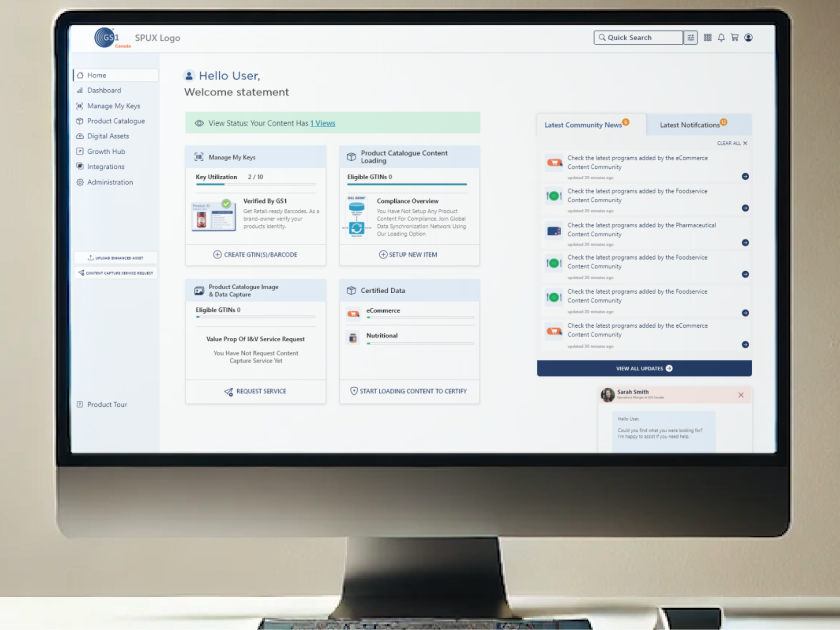
Onboarding: Help users get started quickly after purchasing their barcode to onboard with GS1 Canada. They’ll need GS1 Canada’s services to populate product data and conduct business in the supply chain industry.
After obtaining a barcode, sellers enter standardized product data such as contents, nutrition, allergens, and certifications. The Single View of Product provides a comprehensive assessment of data quality, ensuring products meet industry standards and are ready for retailers and trading partners.
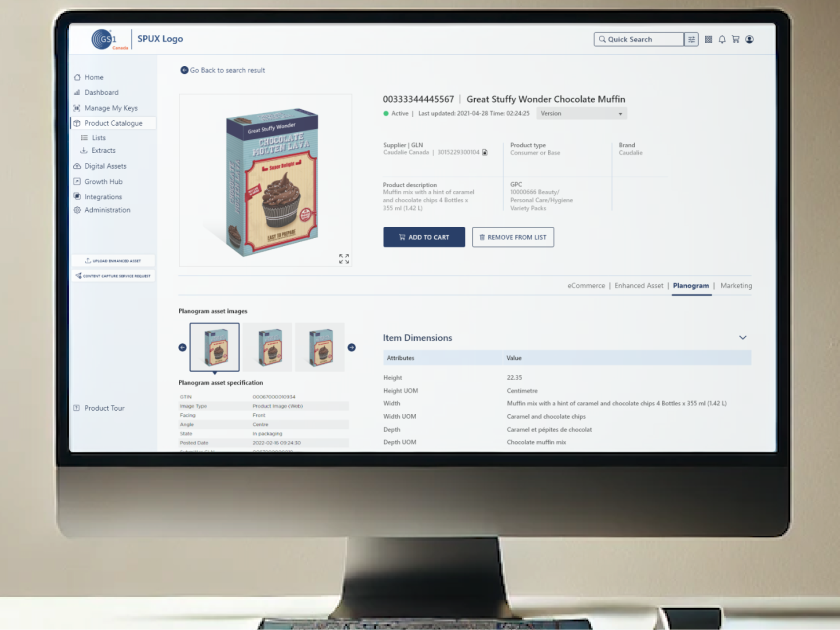
Search and extract product data: A key feature for retailers to extract product information, supporting logistics, planograms, seasonal product identification, marketing campaigns, daily shopping flyers, and overall customer engagement and safety through accurate product data.